
Start with the object your customers will retexture: it gets the .config script, then the EasyTextures script.
1. Add the .config script
From your inventory, drop the .config script into your object's contents, then double-click it to open it.
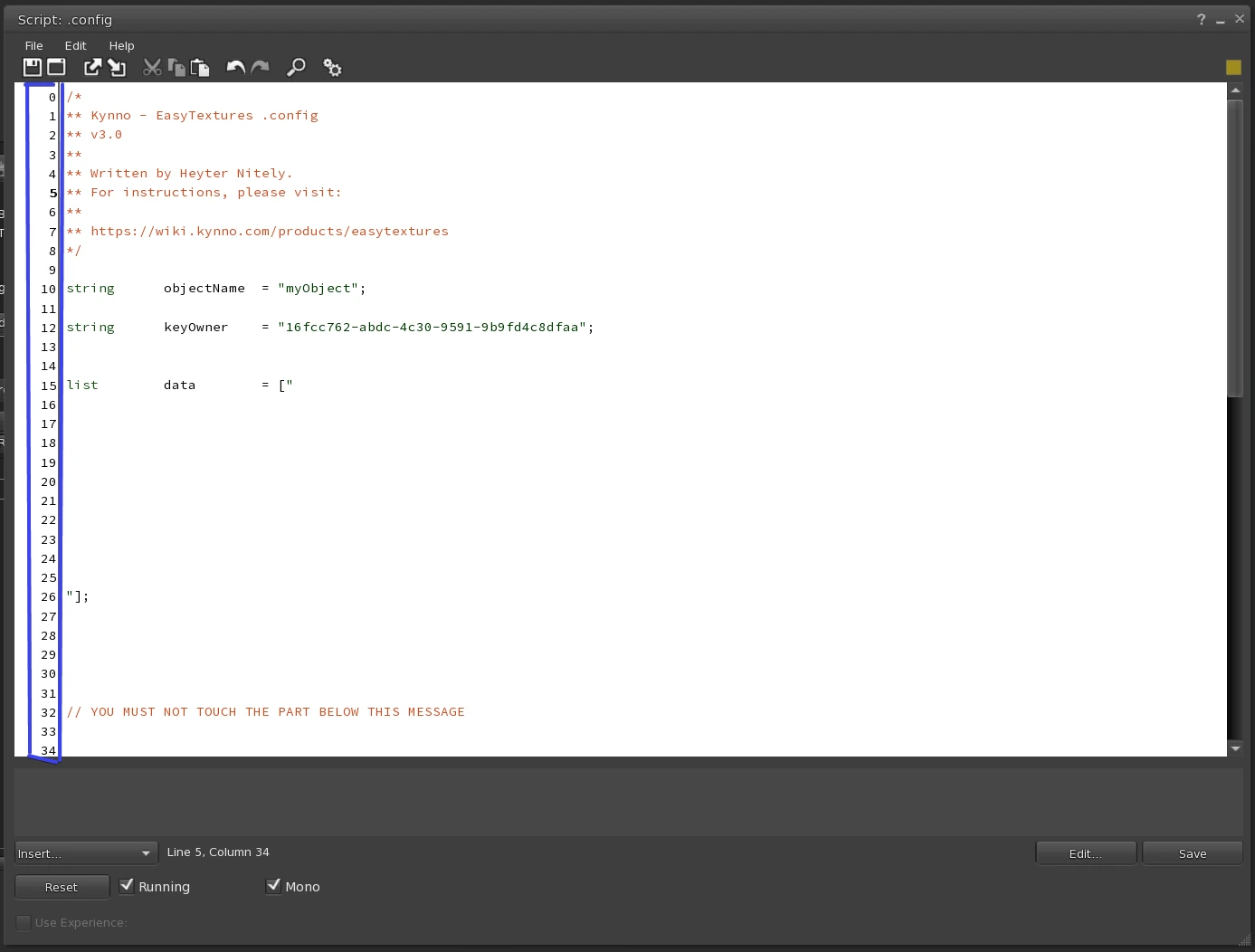
This guide refers to the line numbers on the left of the editor, outlined in blue.
- Line 10 is your object's name. The HUD and the object use it to find each other, so your texture sets never reach another of your objects that uses EasyTextures. Keep it simple: you'll write the exact same name in the
.config HUD. - Line 12 is your avatar's UUID. Replace the UUID that's there with yours, and keep the quotes around it. It's a security feature.
- Lines 16 to 25 are empty: that's where your options go. Leave them empty if you don't need any.
Don't skip line 12: it must hold your own avatar's UUID, between quotes.
Options
Write each option on its own line, between lines 16 and 25.
| Option | What it does |
|---|---|
touchtoapply |
Customers must click their object before the HUD can retexture it. They then have 60 seconds to use the HUD. |
ignore_not_existing_prim |
Hides the errors about prims the object doesn't have. Useful when one HUD is made for several objects. |
Save the script with the Save button at the bottom right.
2. Add the EasyTextures script
Drop the Kynno - EasyTextures script into your object. If local chat shows this message:
⚠️ EasyTextures: The script should be no-transfer for the next owner. Please fix the permission or you won't be able to use it.
right-click the script in your object's contents, open its properties, and untick Transfer for the next owner.
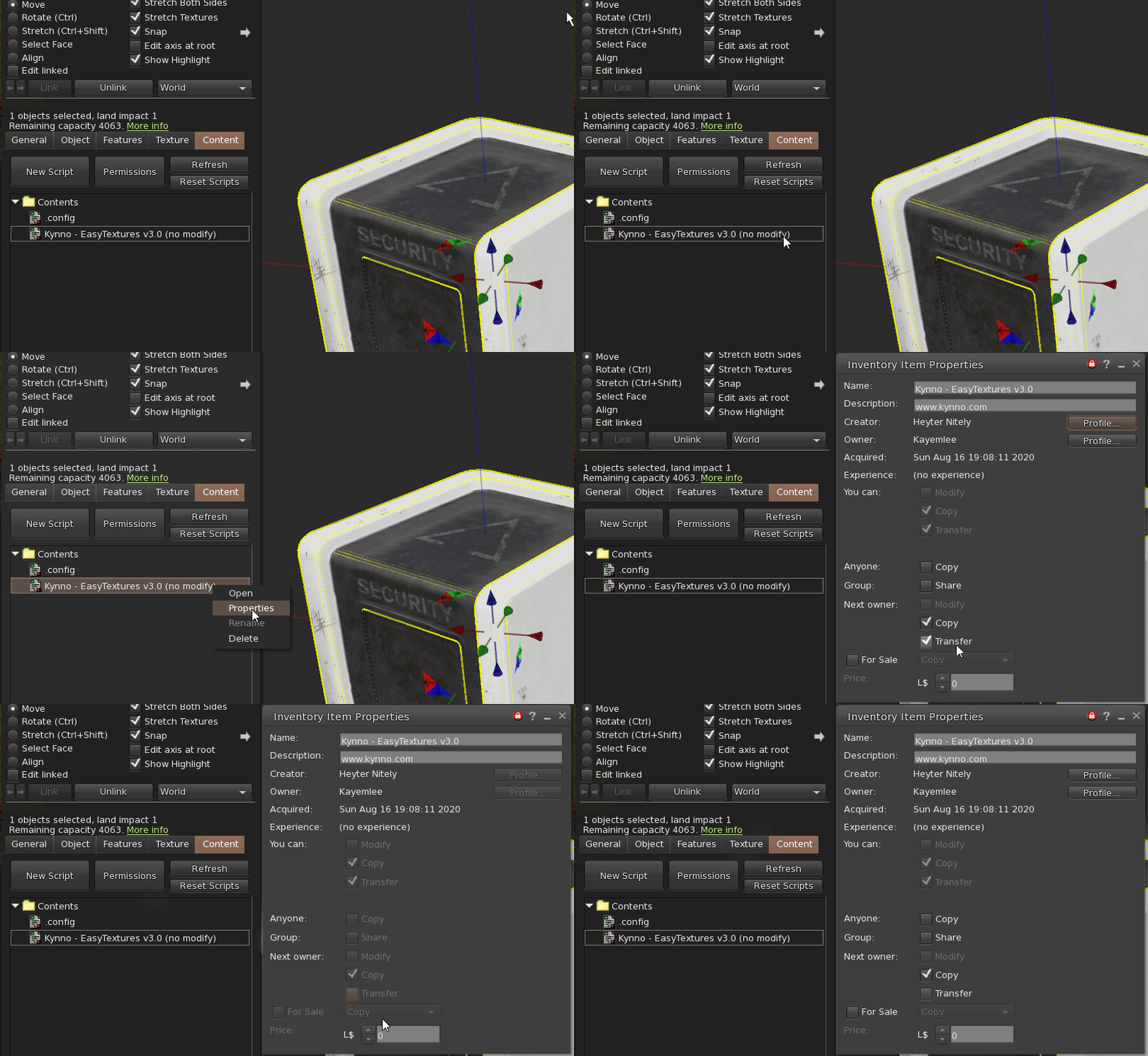
Once the permissions are right, local chat confirms the object is ready, with the name from line 10:
[10:17:41] Astre - Damaged Cube White: Initializing EasyTextures...
[10:17:41] Astre - Damaged Cube White: ⚠️ EasyTextures: Name detected: myObject
[10:17:41] Astre - Damaged Cube White: Free memory: 34652
Your object is ready. Next, Build your HUD.