> For the complete documentation index, see [llms.txt](https://docs.kynno.app/llms.txt). Markdown versions of documentation pages are available by appending `.md` to page URLs; this page is available as [Markdown](https://docs.kynno.app/easysupport/setting-up-your-bot.md).
# Setting up your bot
With your SmartBots ready, it's time to connect it to EasySupport.
## Purchase the script for SmartBots (it's free)
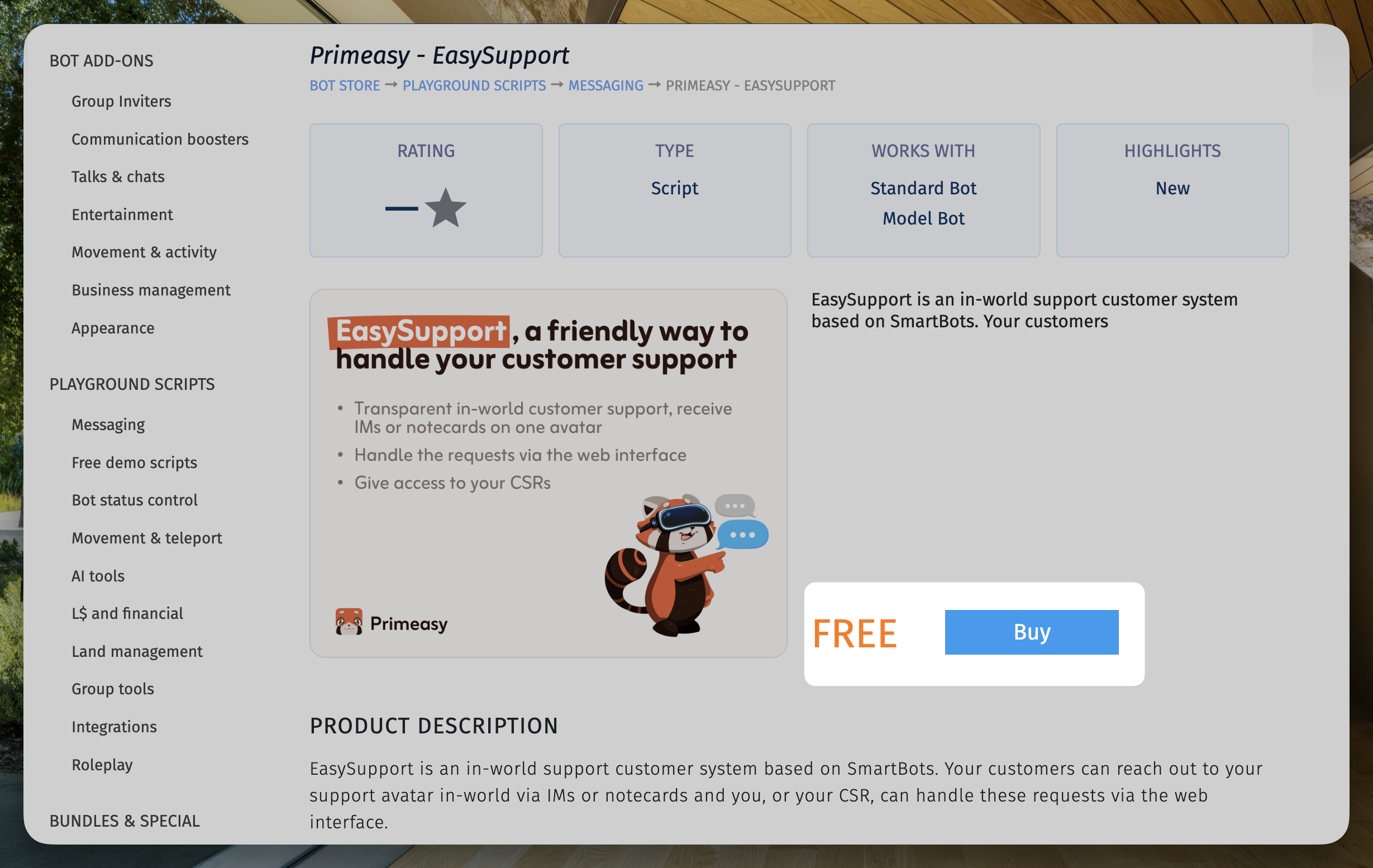
First of all, you will need to purchase the EasySupport script from the SmartBots marketplace (the script is free).
To do that, visit [the SmartBots marketplace](https://store.mysmartbots.com/store/item/206/primeasy__easysupport?by=6569290).
Then click **`Buy`**
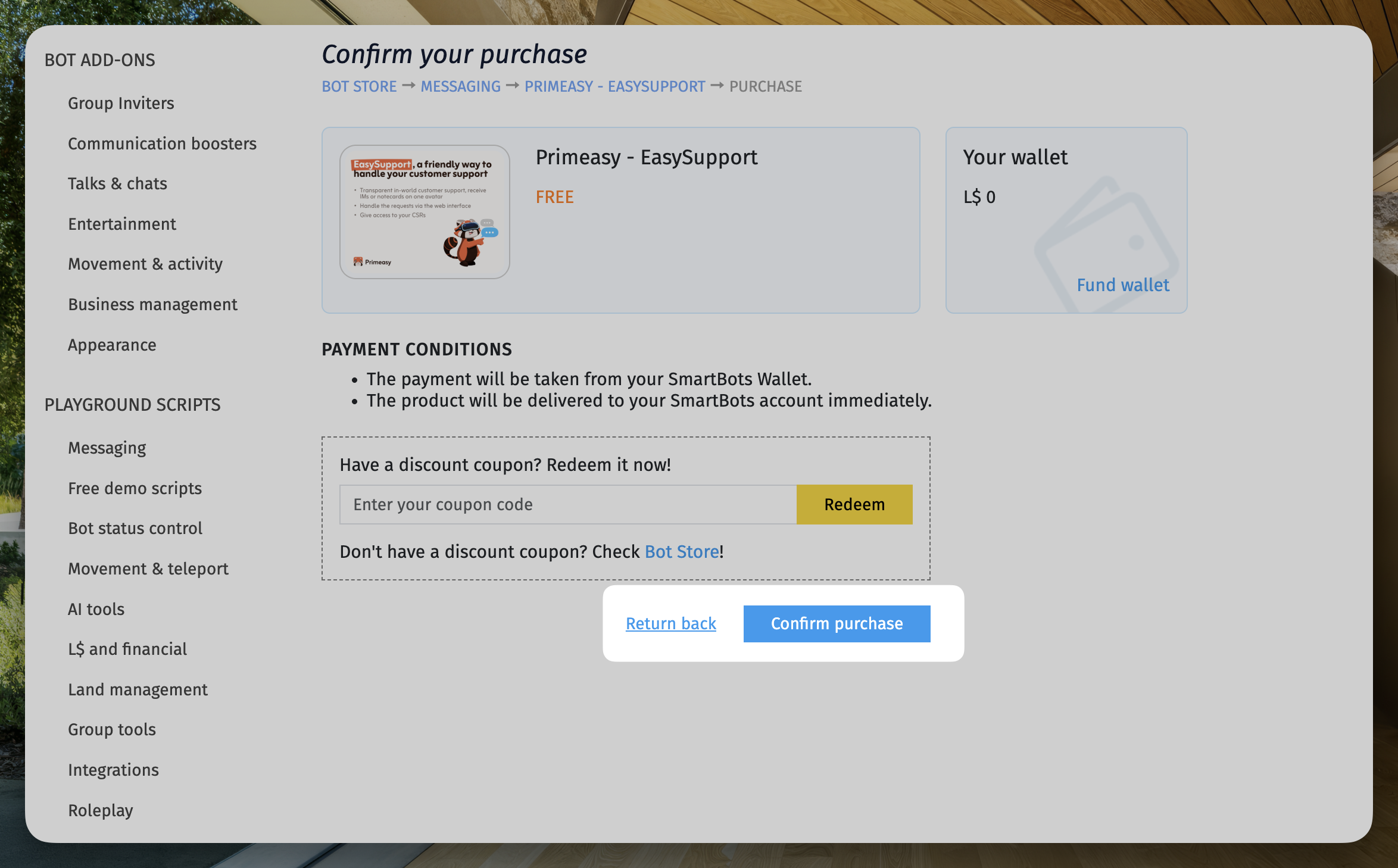
Then confirm your purchase
Your purchase should now be available on the SmartBots Playground.
## Active the purchased script
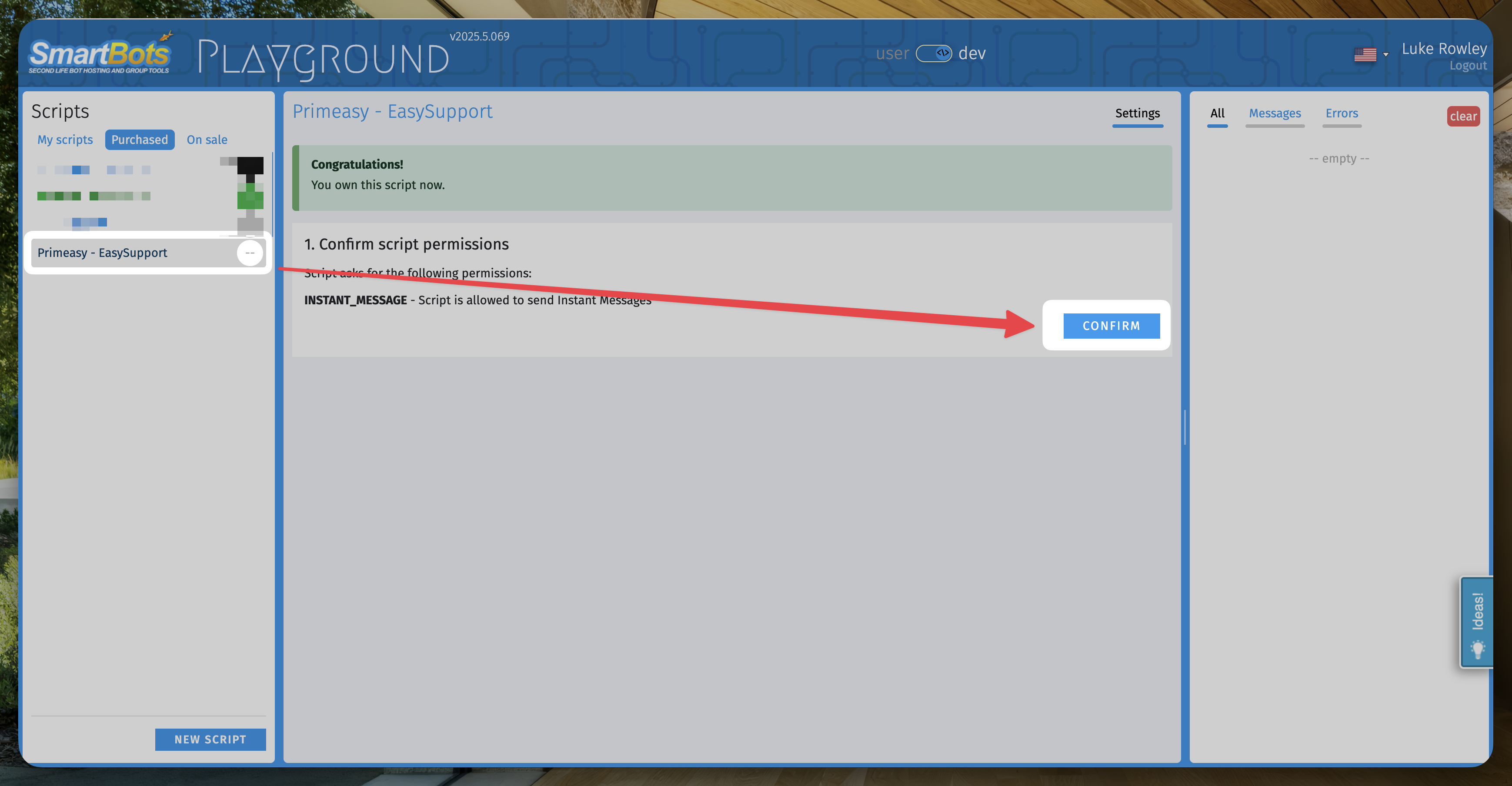
Visit [https://play.mysmartbots.com/](https://play.mysmartbots.com/?by=6569290) and on the left of your screen, you should see `Purchased`. Clicking on that displays the scripts you purchased on the SmartBots store.
Click on `Primeasy - EasySupport` then click on confirm when it asks for the script permissions to send `INSTANT_MESSAGE`
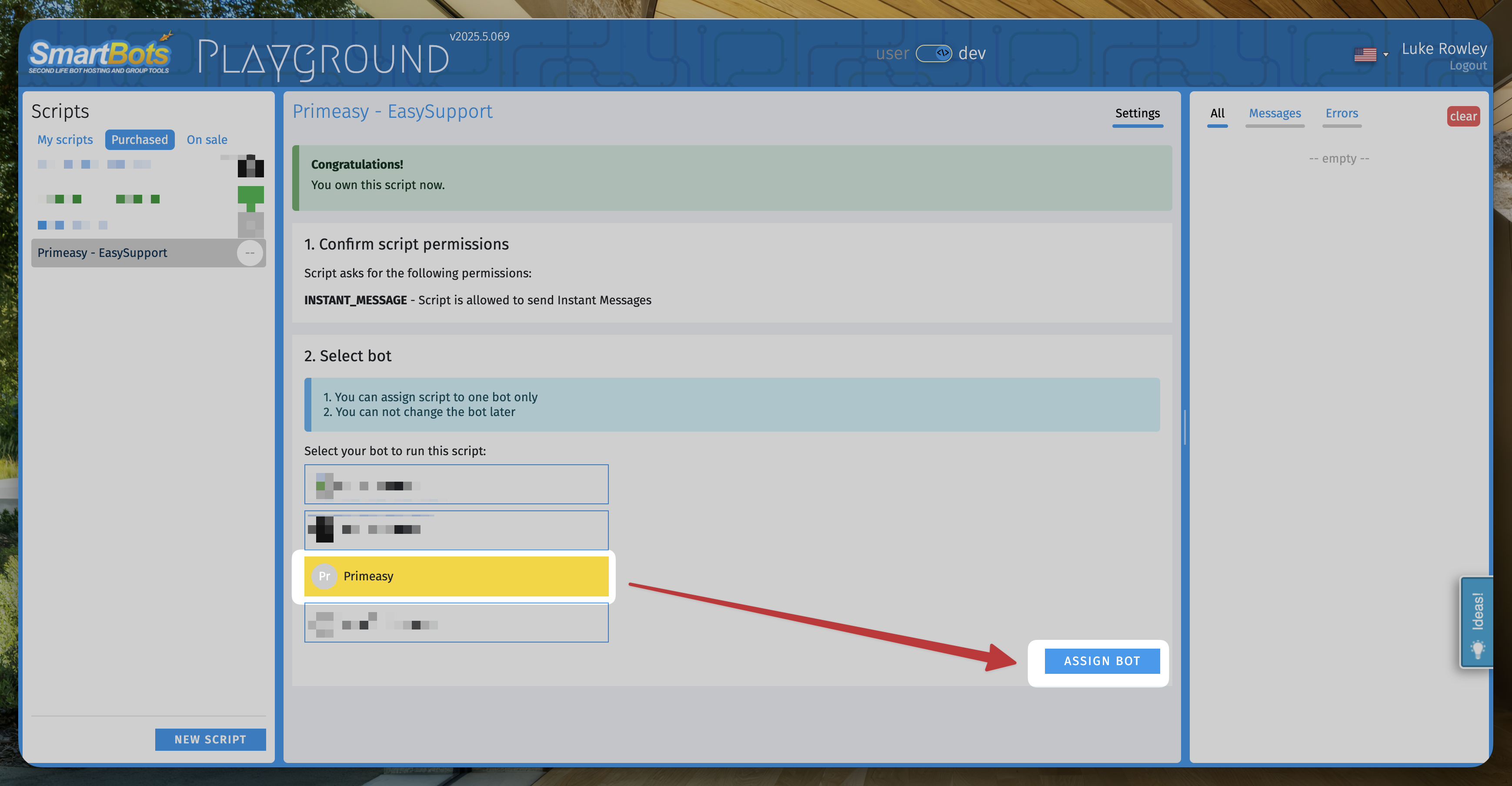
Then select your bot and click `Assign bot`
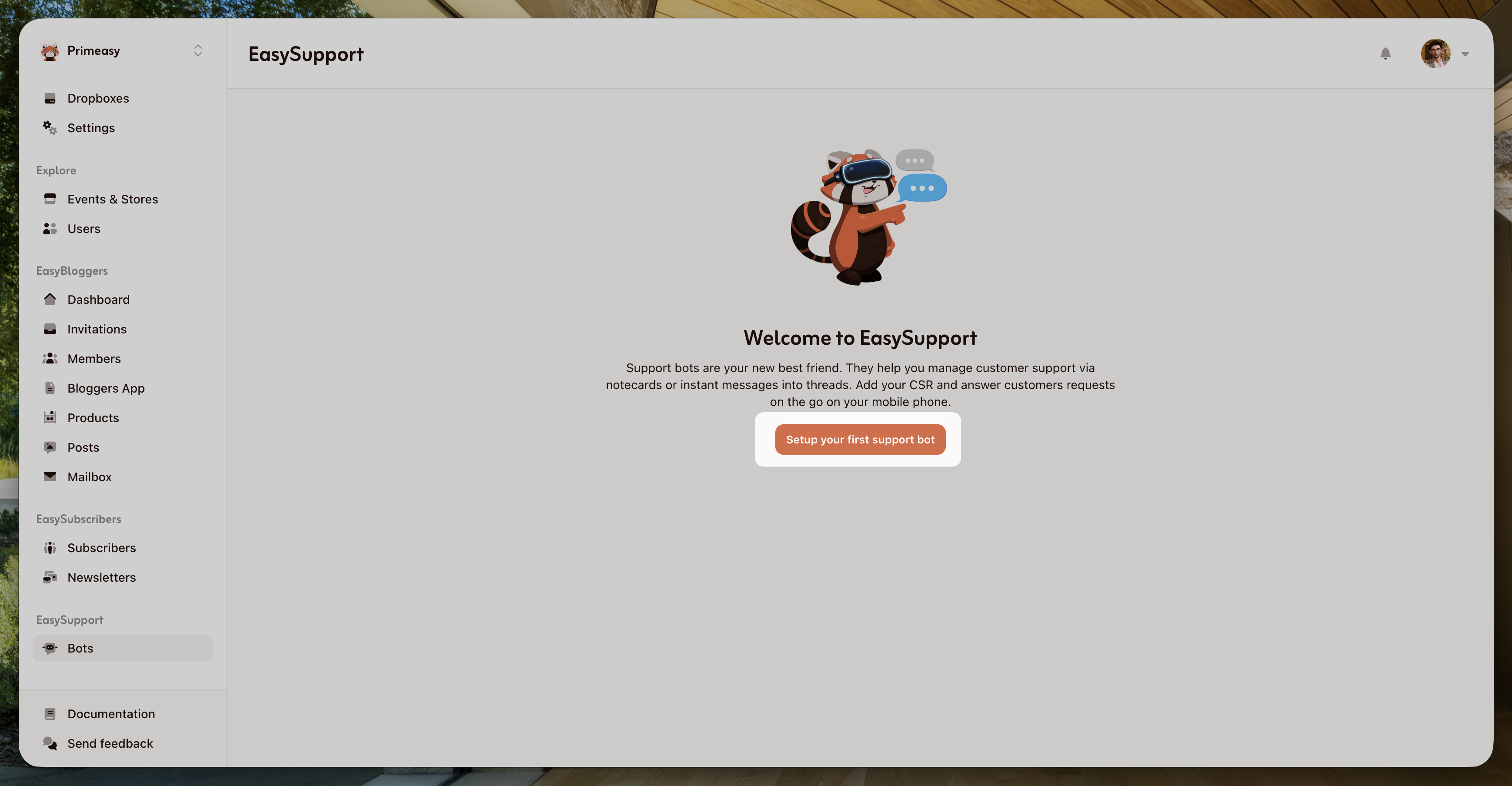
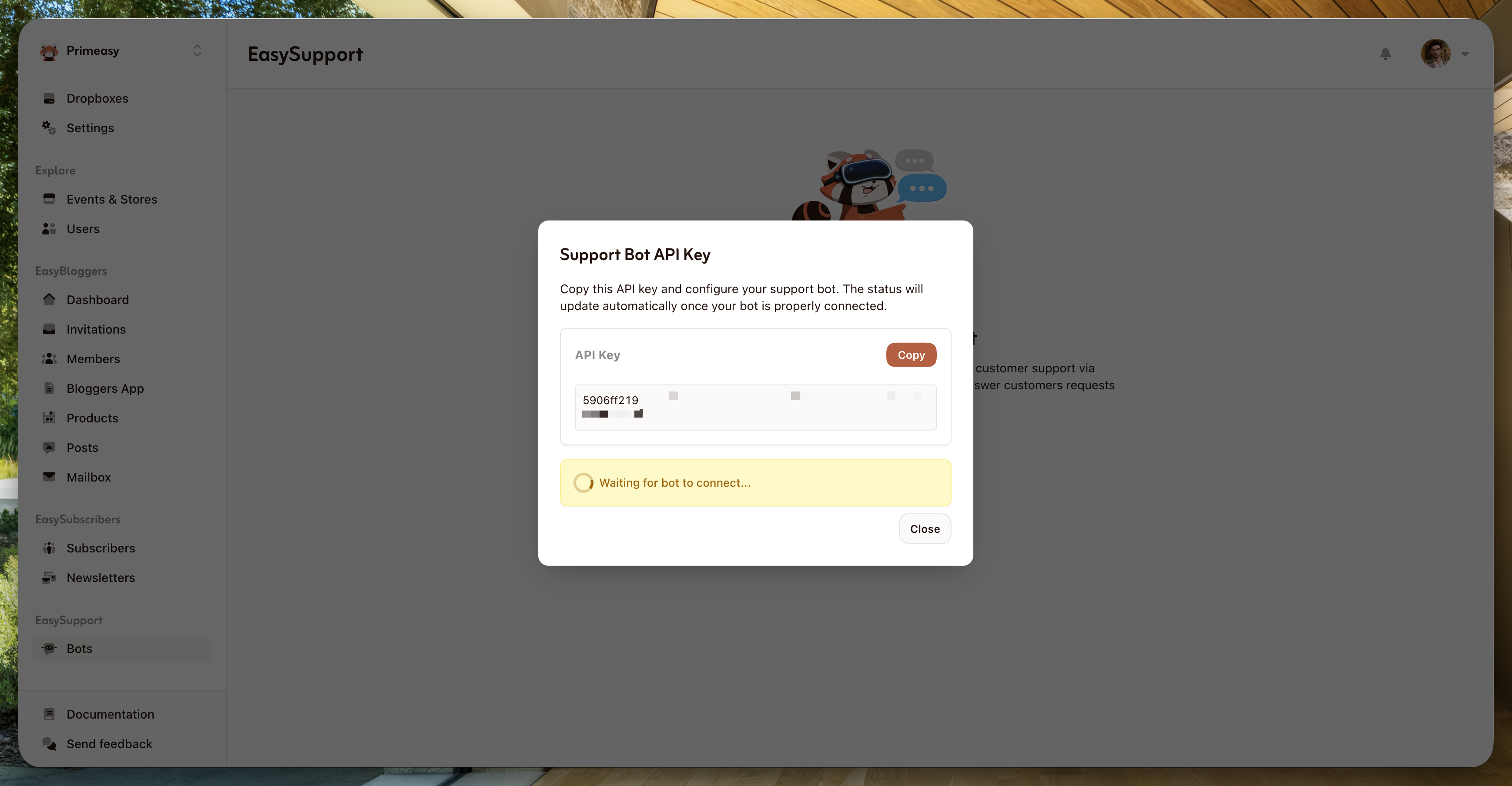
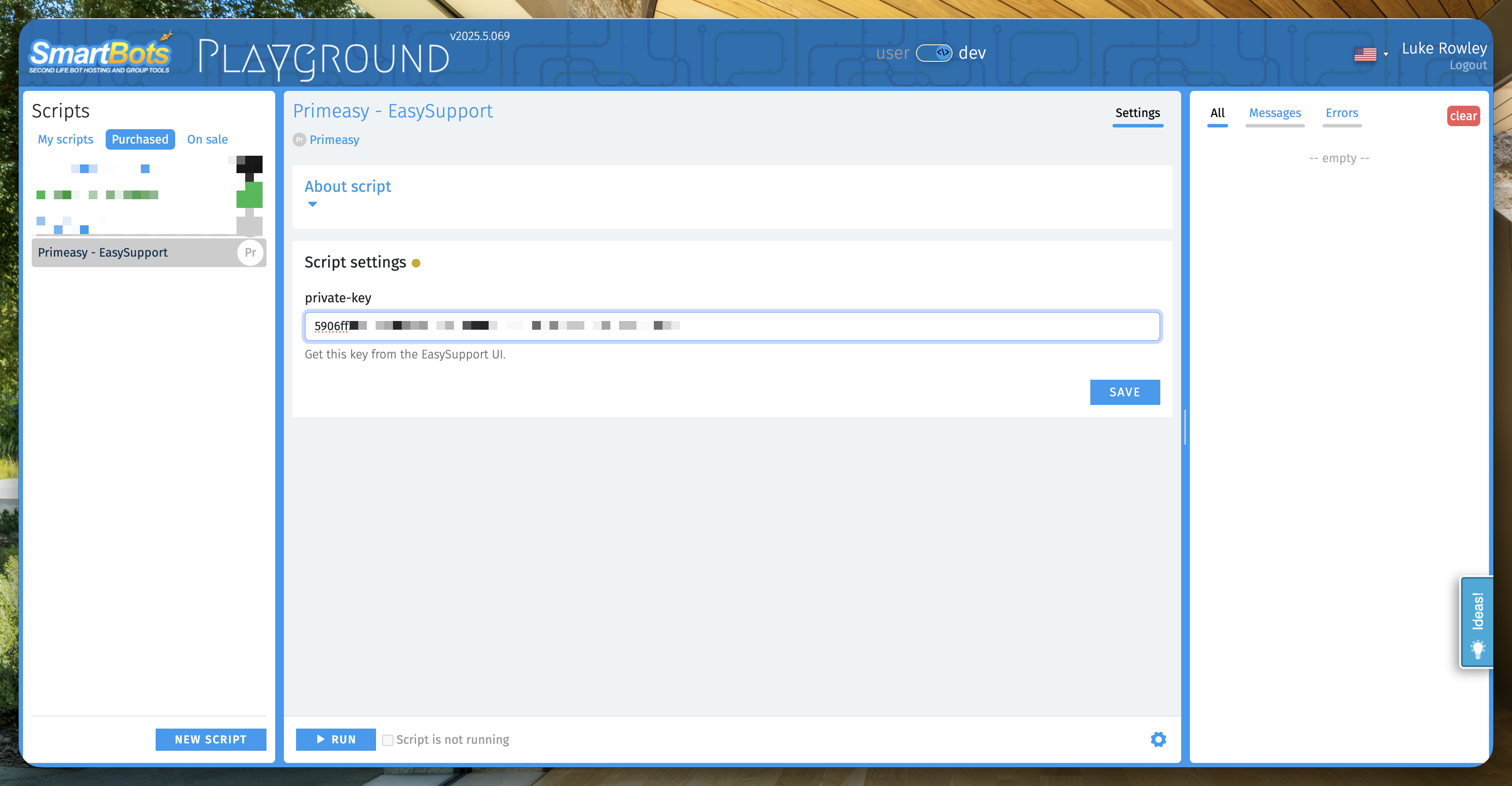
Now, the interface will ask for the `Private API Key`. This private API key can be fetched on EasySupport. Click `Setup your first bot` and it will display the key you need to copy on SmartBots.
You can click `Save` on SmartBots and the script is ready. Now click `Run` at the bottom of the page, and your bot is now setup and running!