> For the complete documentation index, see [llms.txt](https://docs.kynno.app/llms.txt). Markdown versions of documentation pages are available by appending `.md` to page URLs; this page is available as [Markdown](https://docs.kynno.app/easysupport/notifications.md).
# Notifications
## New thread
From the Settings, you can setup a Discord webhook URL to receive a notification every time a new thread is opened by a customer.
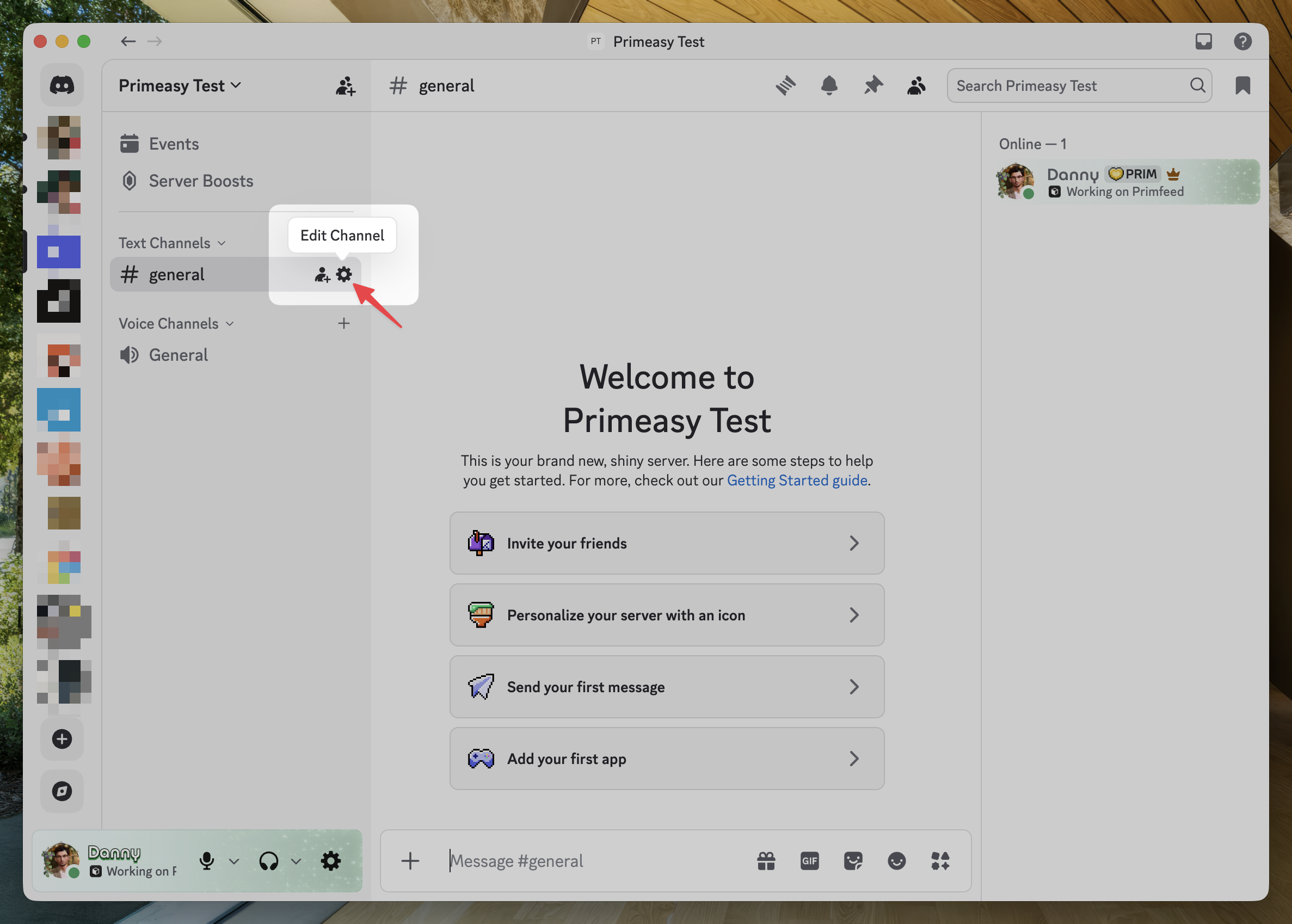
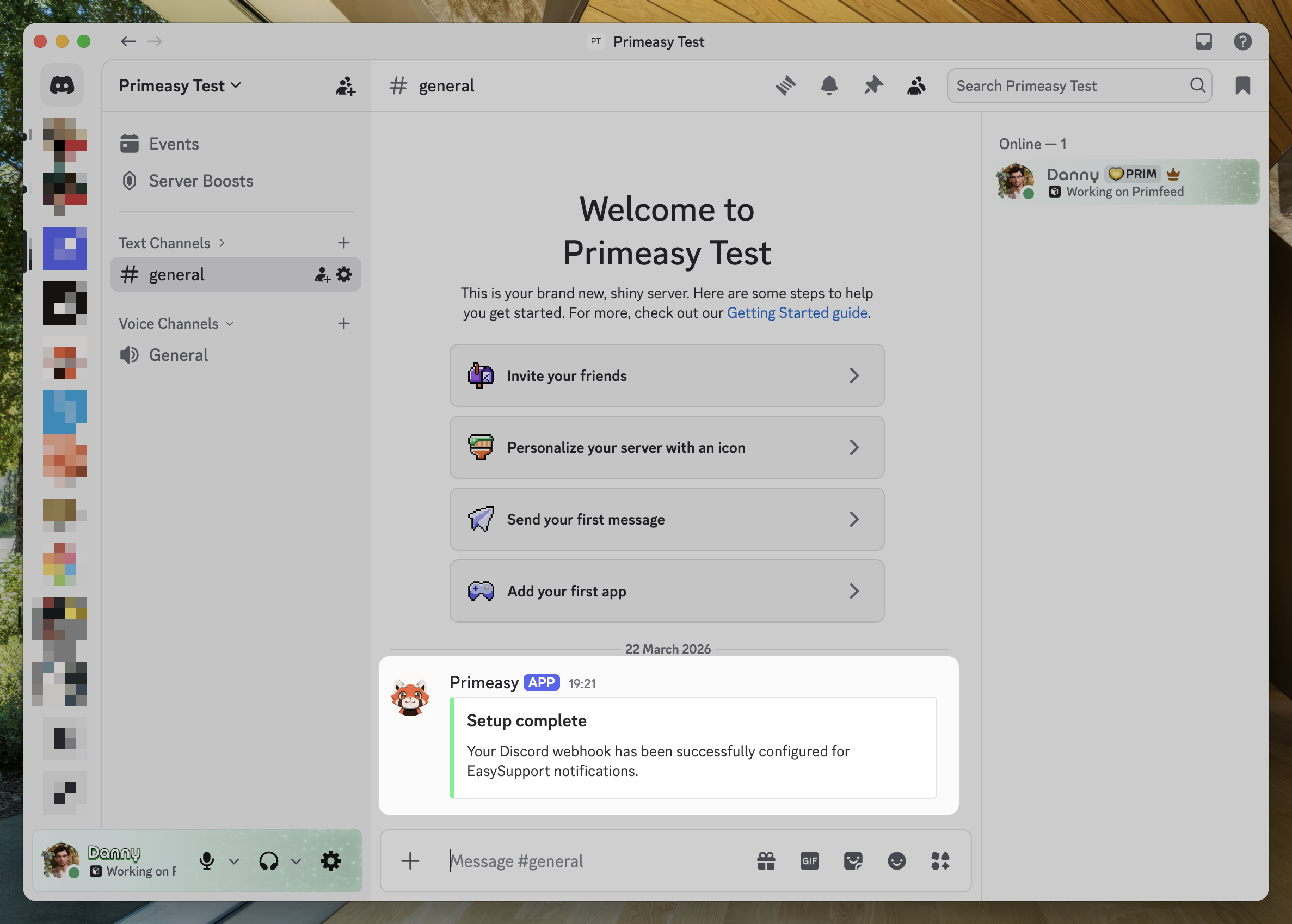
In your Discord server, choose the channel you would like to receive the notification from, then click on the wheel next to it.
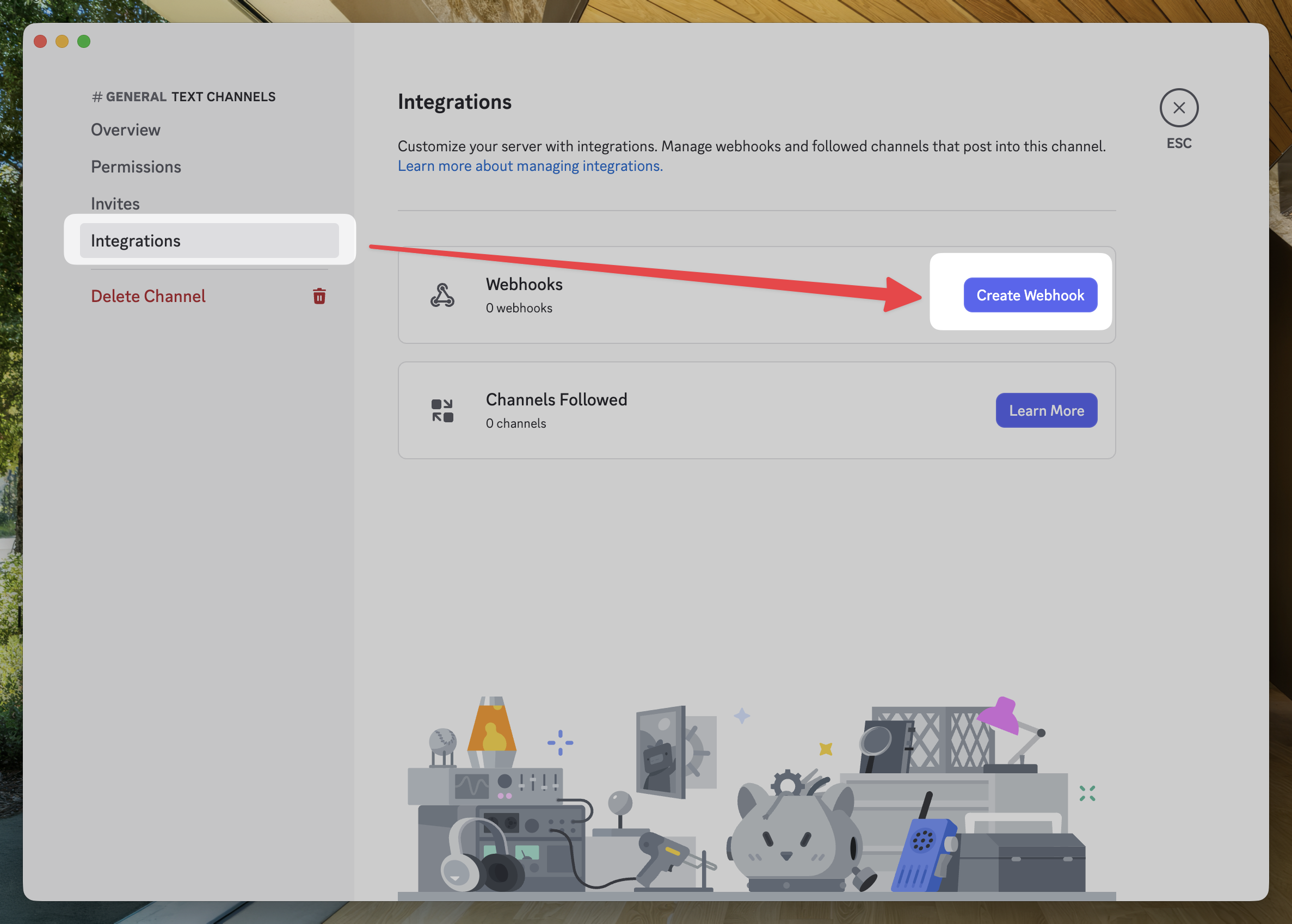
Choose Integrations, then `Create Webhook`
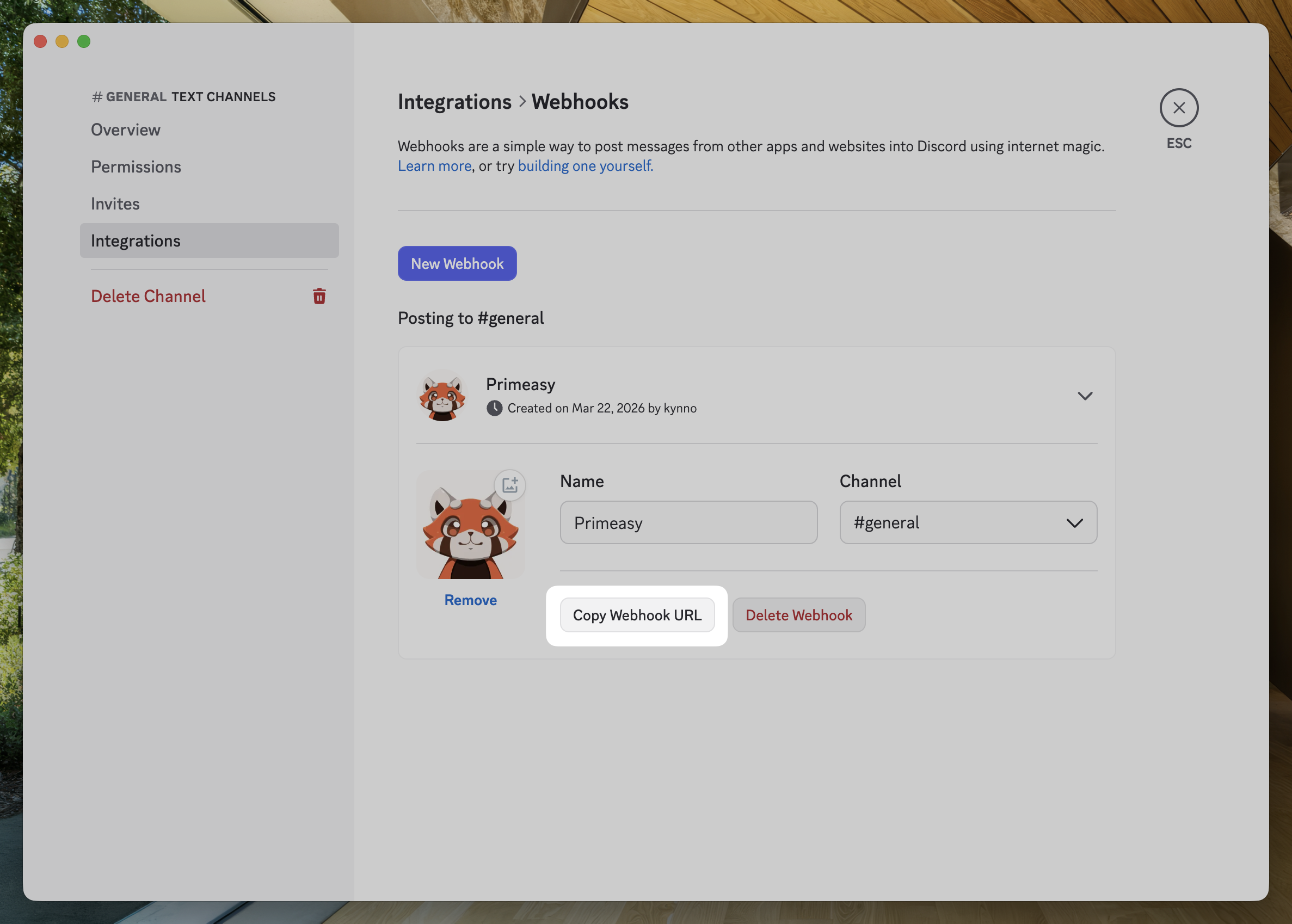
Configure the name and picture of the Webhook, then click `Copy Webhook URL`
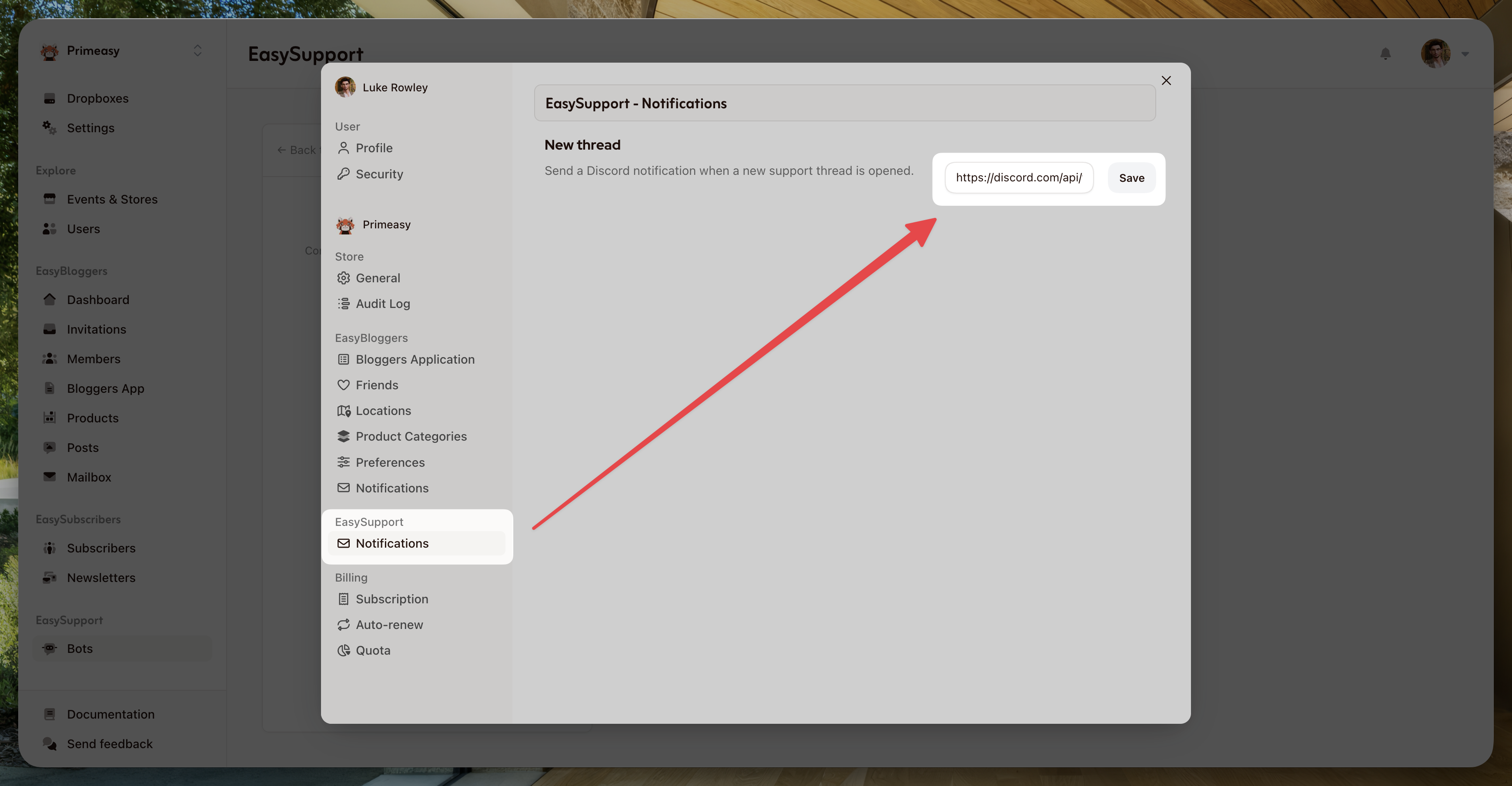
Go back to Primeasy, then click Settings at the top left, Notifications under EasySupport and paste the URL you just copied.
Clicking save will send a notification to your server to confirm it's correctly set.